NanoCorp V4
Give your business goals. Your agent proposes them, you approve them, and it works until each one is done.
Open NanoCorpGoals. Tell your agent what you want to reach. It proposes a goal with a clear finish line, works on it in its own conversation, and checks its own results.
A calmer look. NanoCorp now comes in light and dark. It follows your device, or you pick one.
- 1.
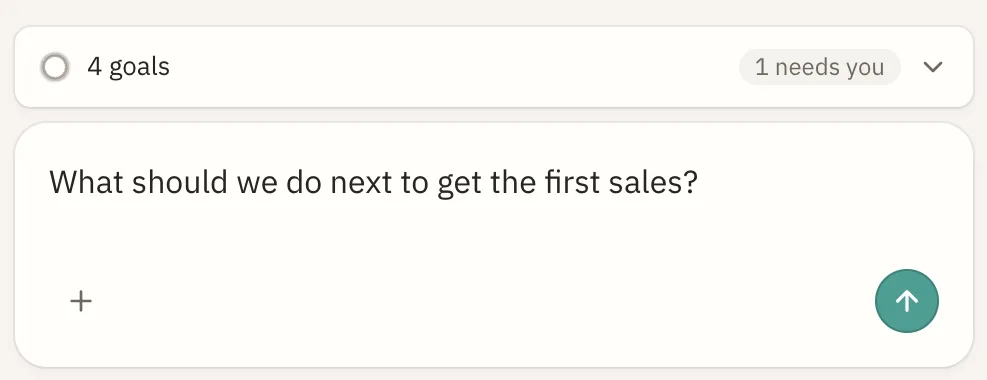
Talk to your agent. Say what you want for your business in the main chat, or ask your agent what to do next. When nothing is in progress, it suggests a useful next goal.
- 2.
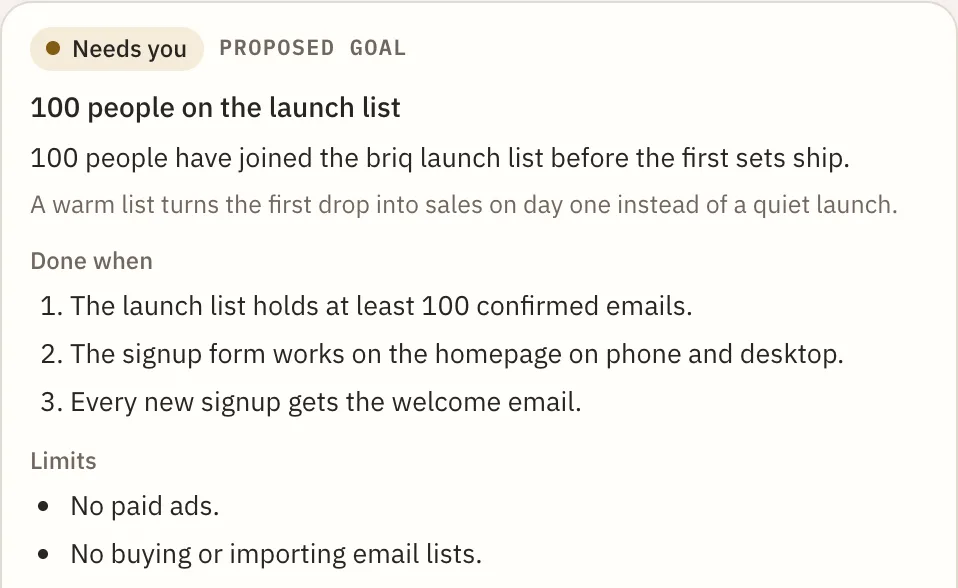
Read the proposal. Your agent writes the goal as a card in the chat: the result, why it matters, how it will check that it worked, its limits, and the credits it may use.
- 3.
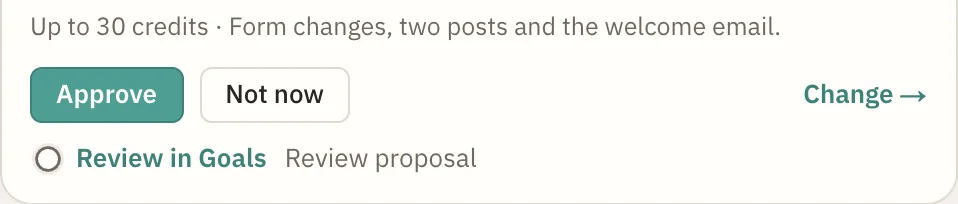
Approve, change, or say not now. Nothing starts until you approve. Change opens a message to your agent so you can say what to adjust. Not now sets the proposal aside.
- 4.
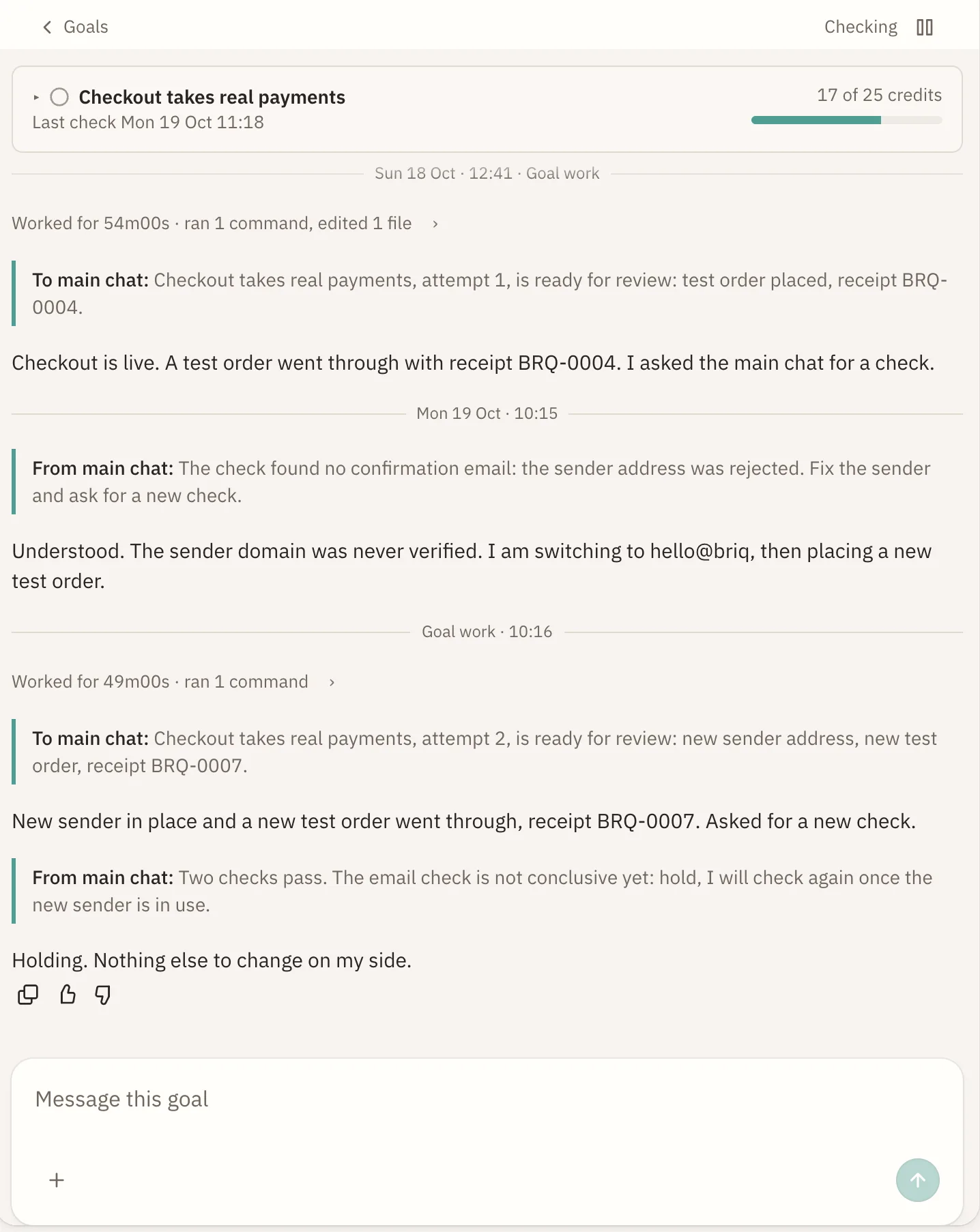
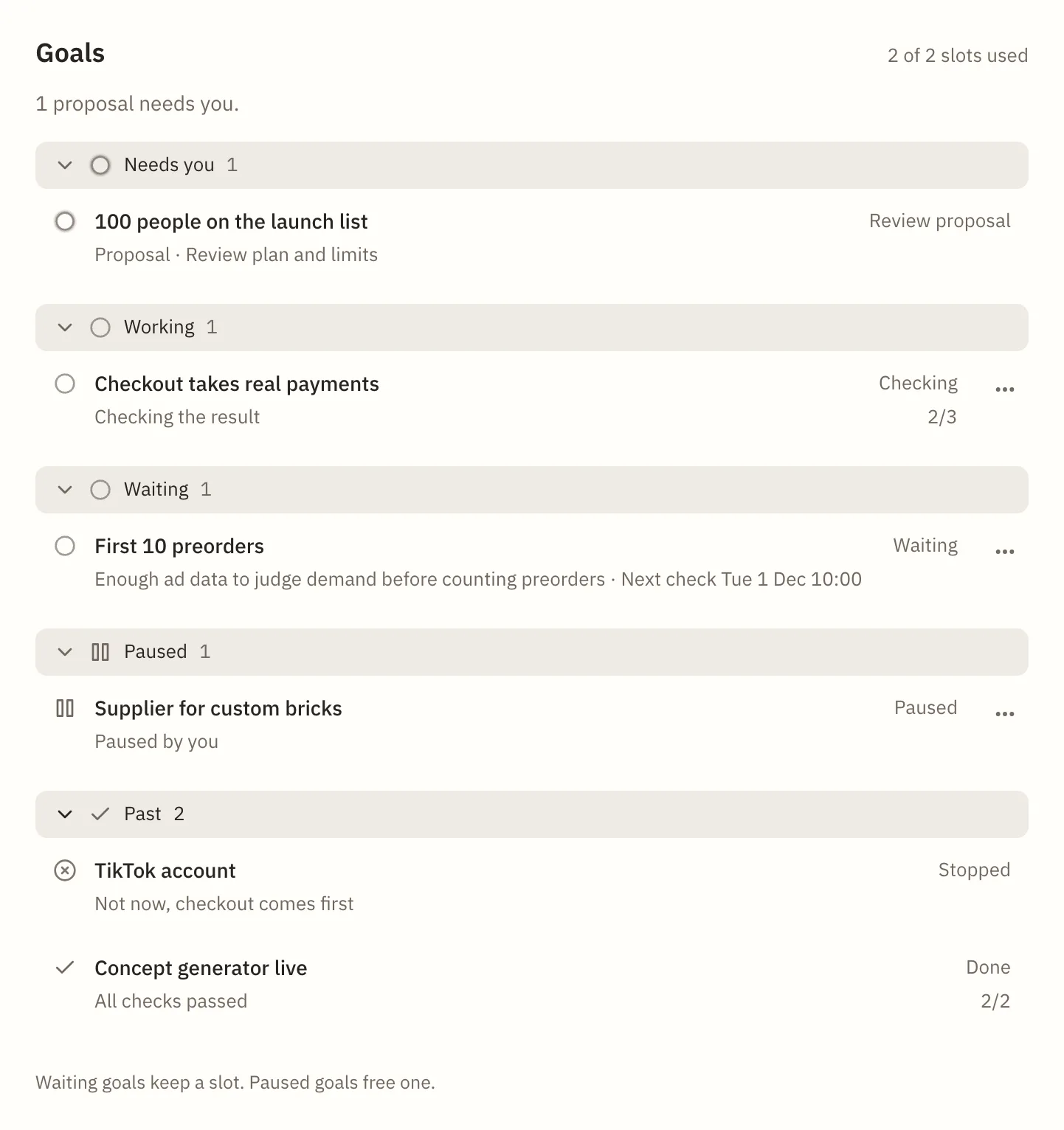
Let it work. An approved goal runs in its own conversation, so your main chat stays free. Open Goals, next to Preview and Dashboard, to follow it. On a phone, Goals opens from the header.
- 5.
Step in when it needs you. A goal that needs an answer shows Needs you. A finished goal moves to Past. You can pause a goal and resume it whenever you like.
- Result:
- The one outcome the goal is for.
- Why:
- What it changes for your business.
- Criteria:
- One to five checks your agent runs to confirm the result.
- Limits:
- What your agent will not do while working on it.
- Credits:
- The most the goal may use. You see it before you approve.
Do I need to do anything to get goals?
No. Send your agent a message and goals start from there.
How many goals can run at once?
Two. To start a third, pause one first.
Do goals use credits?
Yes, up to the amount shown on the goal when you approve it.
Can I stop a goal?
Yes. Pause it from Goals and resume it whenever you like.
Where do I change between light and dark?
Under Appearance in your account settings. System follows your device.
Questions? contact@nanocorp.so