NanoCorp V4: goals
Tell your agent what you want to reach. It proposes a goal with a clear finish line, works on it in its own conversation, and checks its own results.
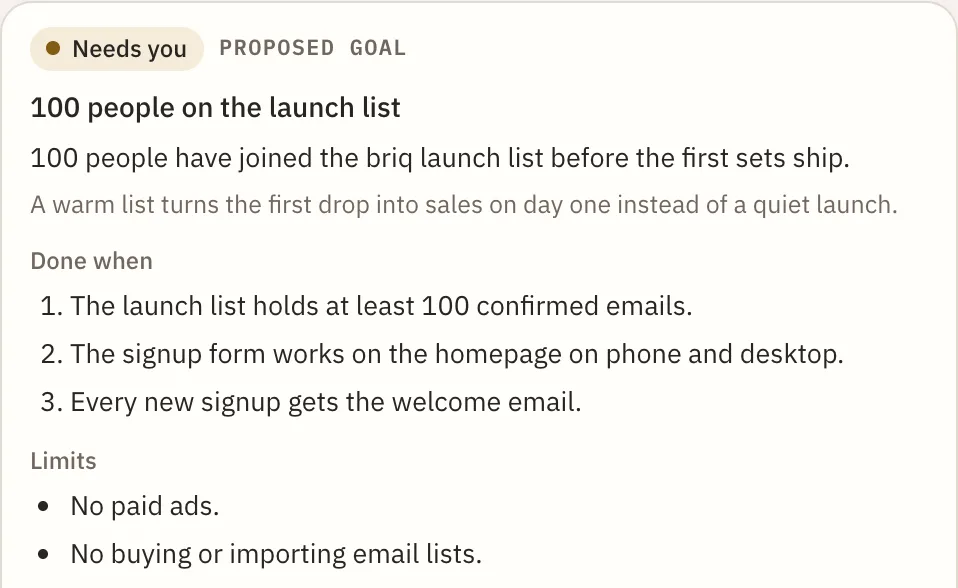
Your agent proposes goals
Say what you want for your business, or ask your agent what to do next. It writes a goal as a card in the chat: the result, how it will check it, its limits, and the credits it may use.
AgentsLearn moreNothing starts without you
Approve a goal, change it, or say not now. An approved goal works in its own conversation, so your main chat stays free.
AgentsFollow every goal in Goals
Open Goals, next to Preview and Dashboard, to see each goal working, done, or waiting on you. On a phone, Goals opens from the header.
App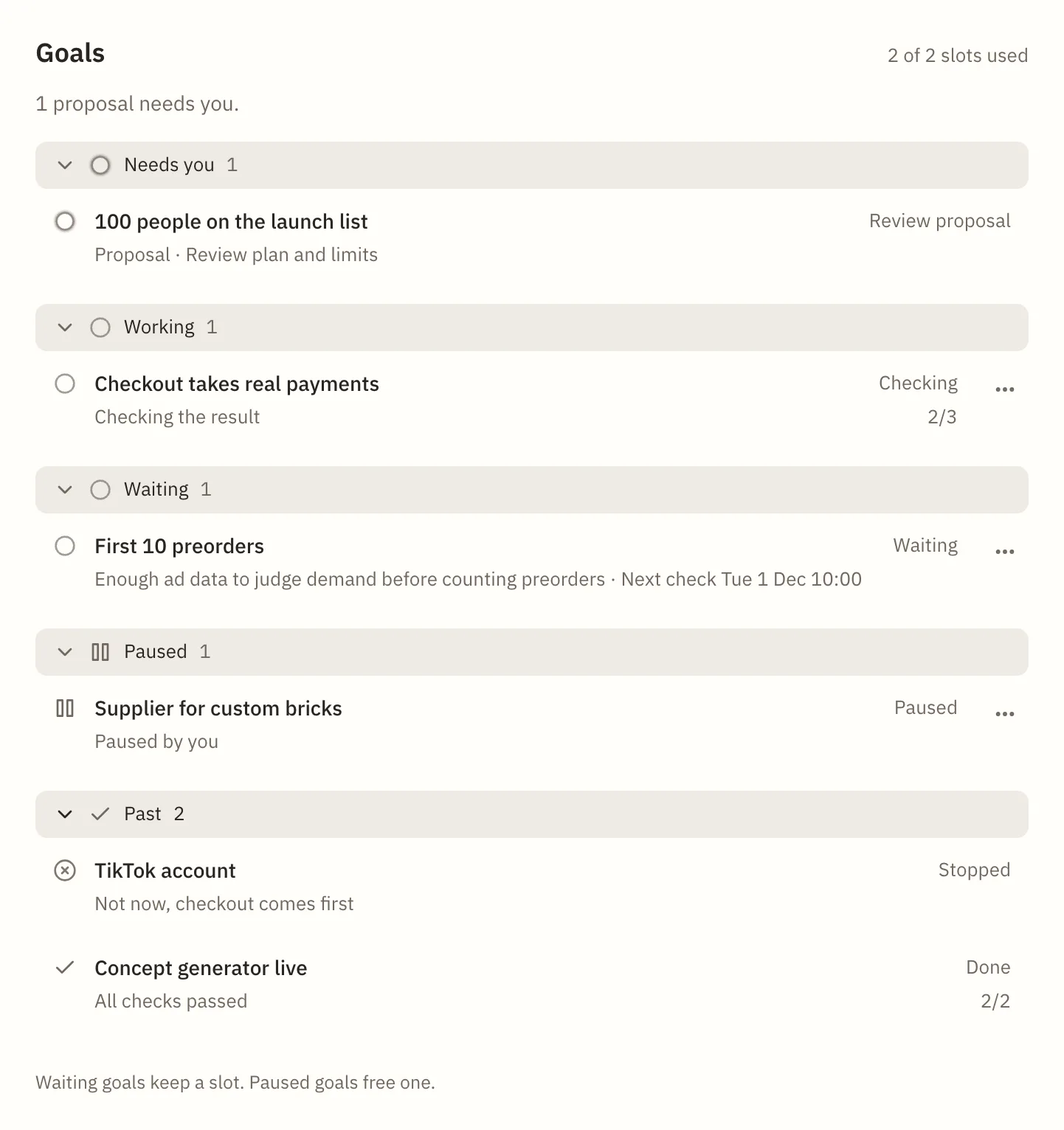
A calmer look, in light and dark
NanoCorp now comes in light and dark. It follows your device, or you pick one under Appearance.
AppOne sidebar for all your businesses
On desktop, a sidebar switches between your businesses, settings and account. Each business keeps its unsent message, its attached files and your place in the chat.
AppA next step in the message box
The empty message box suggests what to ask next. Press Tab to fill it in, or tap the hint on a phone, then edit it or send it as is.
AppYour answers reach your agent
When your agent asks you a question, your answer now always reaches it, so it no longer shows the same work and asks again.
AgentsClear answers from paid tools
When a paid tool has no price yet or answers too slowly, your agent is told why and is asked not to repeat the call, instead of getting a vague error.
AgentsSee your business being set up
Once the interview ends, the screen shows that your business is being set up instead of sitting still.
AppA week to fix a failed renewal
On the Founder plan, a failed renewal no longer stops your agent at once. It keeps working for 7 days while a banner and reminder emails help you update your card.
App